
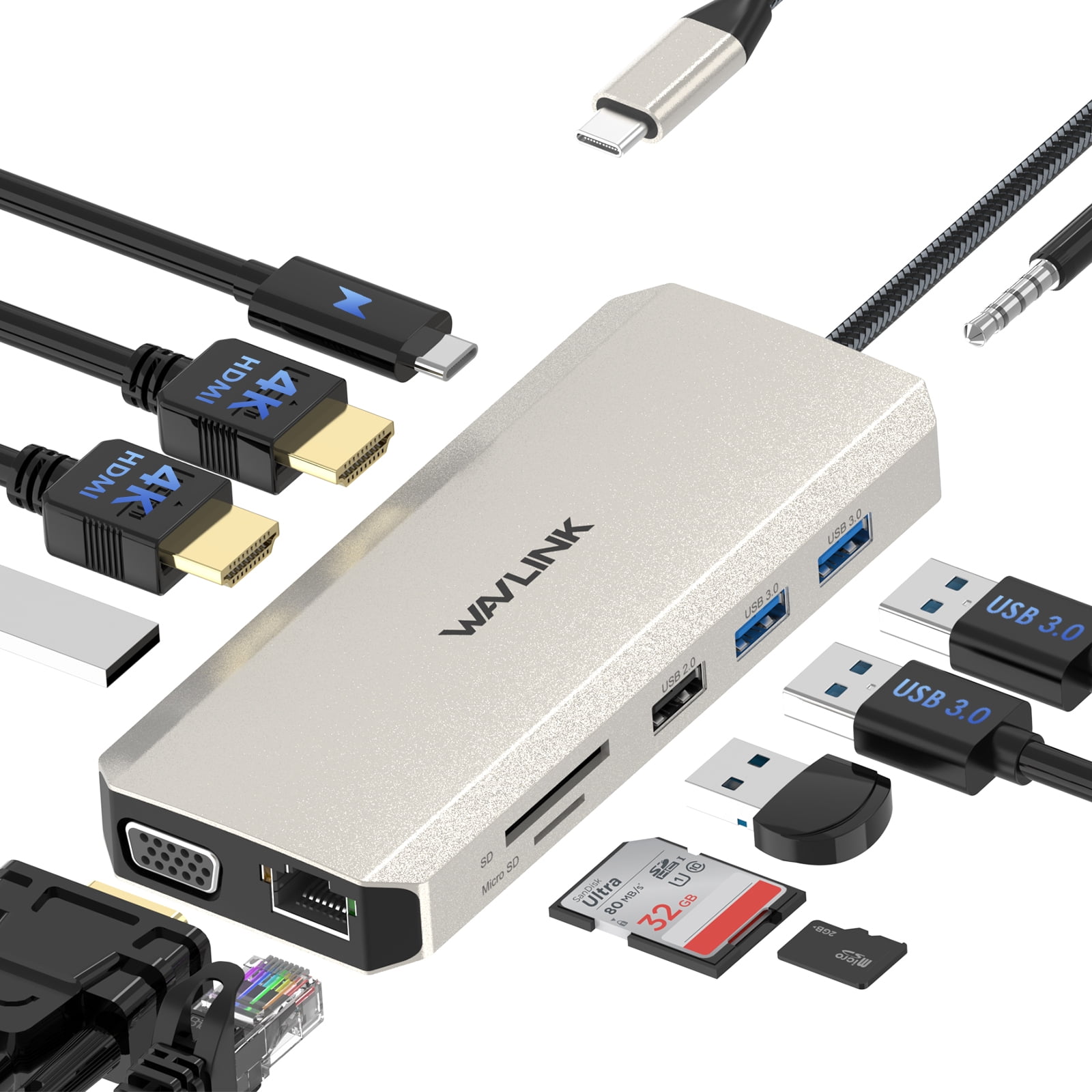
Wavlink USB C Dock 85W Charger USB C Hub, Dual Monitor 4K@30Hz HDMI, 2K@60Hz VGA, USB 3.0, USB 2.0, SD/TF, Gigabit Ethernet
Product details
| Management number | 230612813 | Release Date | 2026/06/18 | List Price | $18.34 | Model Number | 230612813 | ||
|---|---|---|---|---|---|---|---|---|---|
| Category | |||||||||
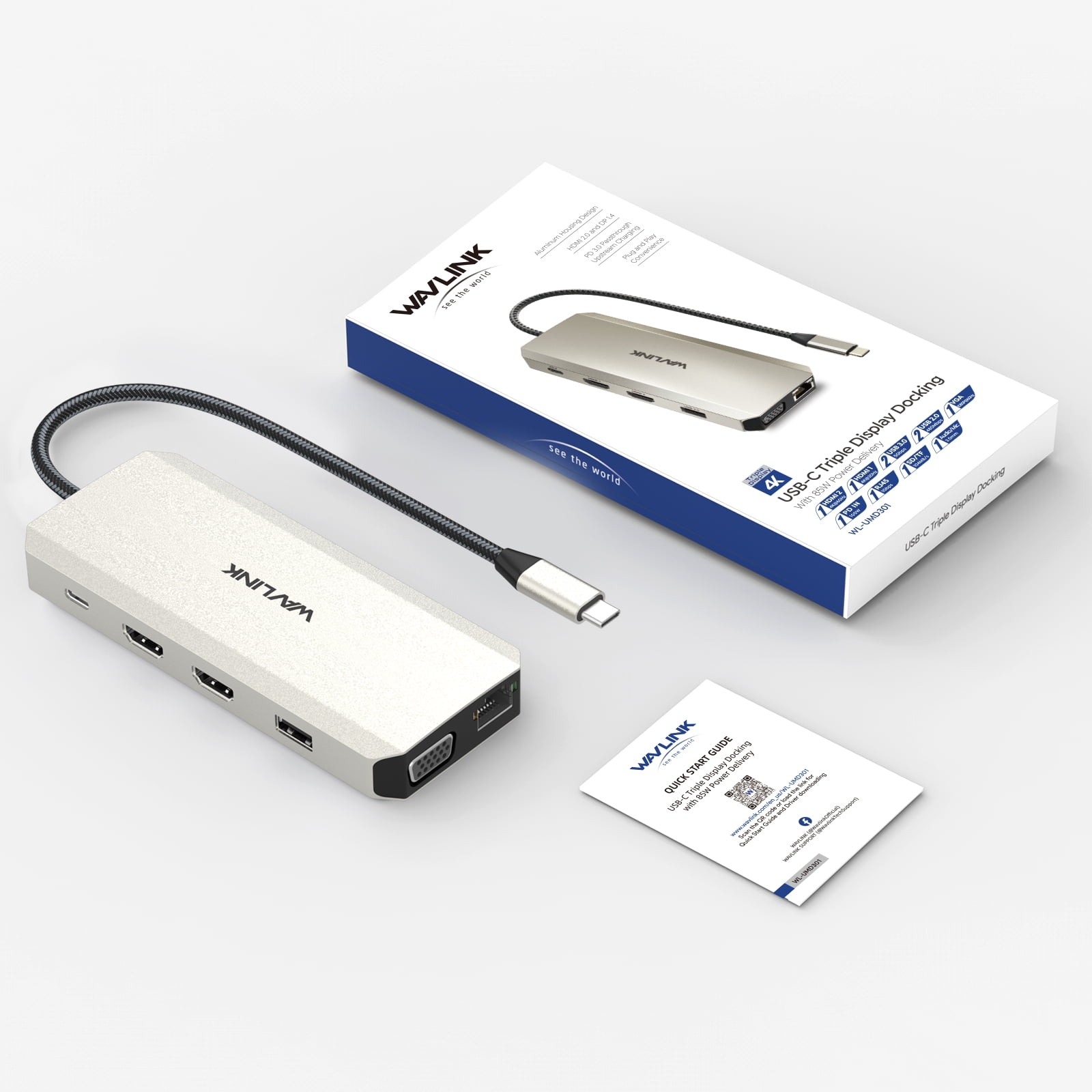
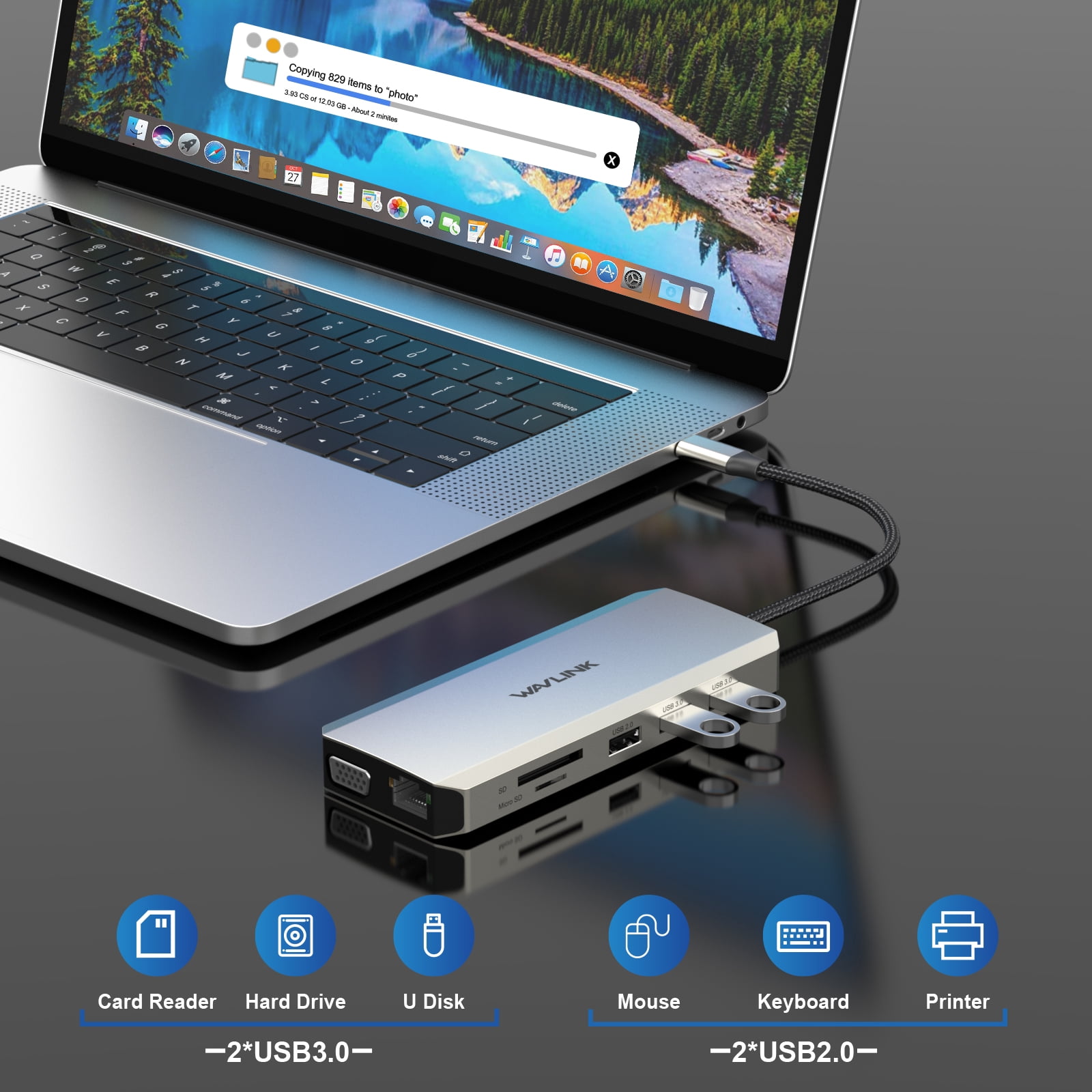
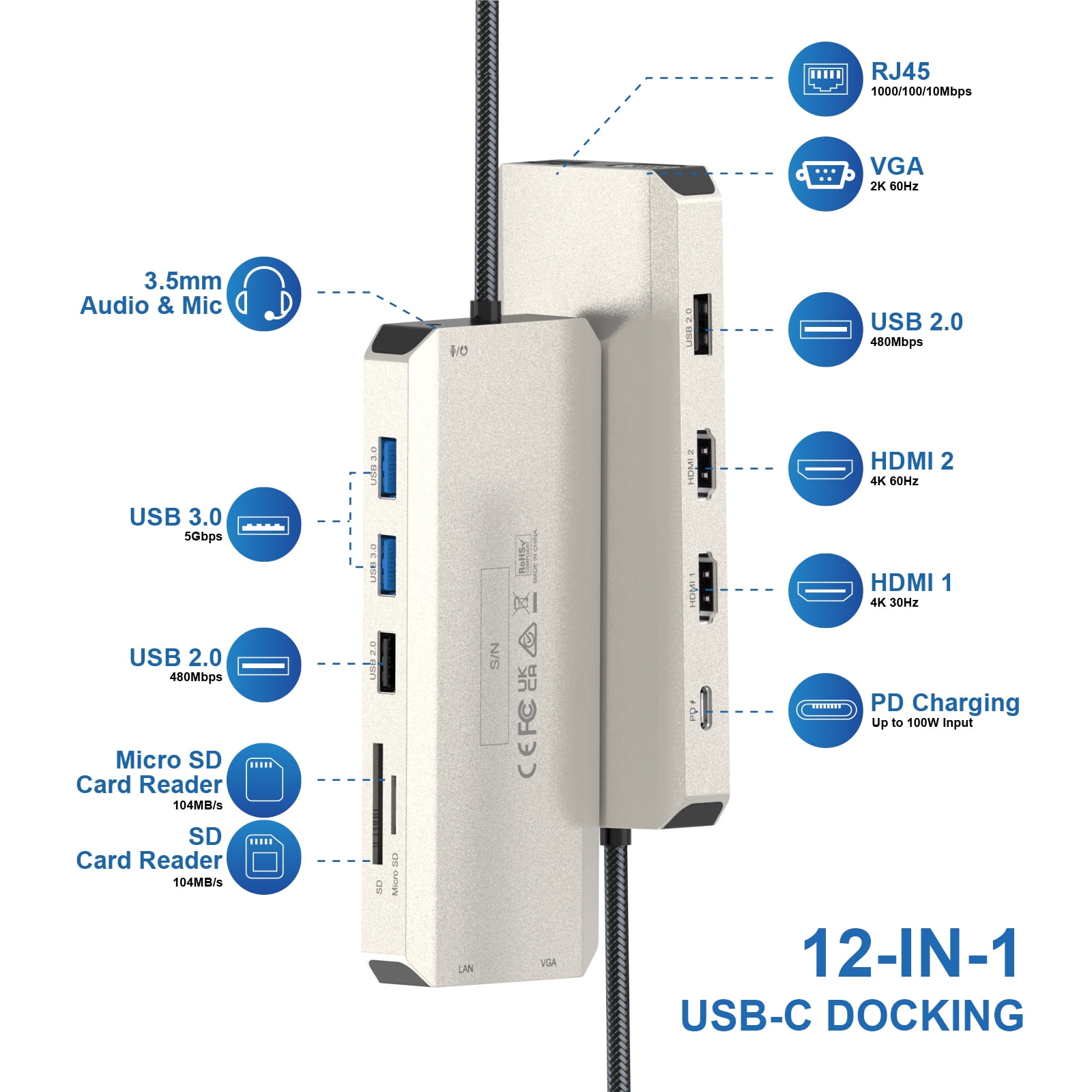
<b>WAVLINK 12-in-1 USB dock station Triple Display docking station USB C Hub with HDMI and VGA</b><br><br><u><b>⭐Warm Tips:</b><br></u>-The type-C port of your host should support video output and charging to enjoy the full function of this hub.<br>-For Windows-based computer, please make sure that your computer graphics card supports four monitors, or you might have to disable the built-in monitor. <br>-Your USB-C phones/tablets should support the OTG function.<br>-The charger and charging cable are not included.<br><br><u><b>⭐Systems/ Devices Compatibility</b></u><br>* Plug and play on Windows 11/10/8.1/8/7, Mac OS, Chrome OS, Linux, iPad OS, Harmony OS, Android.<br>- Works with your USB-C Desktop PCs, Laptops, Tablets/Mobile Phones(OTG function required).<br><br><b>2 USB 3.0 port +2 USB 2.0 ports</b><br>Expand your laptop with additional 2*USB2.0 & 2*USB3.0 ports, support transmission speed of up to 480 Mbps/5Gbps. Allow simultaneously connecting with USB flash drive, USB printer, keyboard, mouse and more.<br><br><b>Safe PD Charging</b><br>The Wavlink type-c hub supports a high-level of charging up to 100W( Maximum 85W to laptop and 15W to other ports), allowing you to charge up your laptop at high-speed while retaining full function of the hub’s other ports. (Additional charger is needed)<br><br><u><b>⭐How to Confirm if the Type-C Port of Your Laptop Supports Video Output and Charging?</b></u><br>- Step 1: Please check the model of your laptop, it should be on the back of the label;<br>- Step 2: Search “brand + the model number of the device + manual” in Google, for example: “asus ux435 manual”;<br>- Step 3: Check the manual and navigate to the view and check the type-c specification, if it states it supports power delivery which means it supports charging. If it states the type-c port supports display which means it could support video output. If the specification states bandwidth the type-c port supports only, which means the type-c port might not support video output and charging. You could also contact the manufacturer to confirm that.<br><br><b>Instant Gigabit Ethernet</b><br>Obtain stable connection speeds up to 1Gbps; downward compatible with 100Mbps/10Mbps networks. Our Type-C to LAN Gigabit Ethernet (RJ45) Network Adapter supports large downloads at maximum speeds without interruption. (To reach 1Gbps, make sure to use CAT6 & up Ethernet cables.)<br><br><b>Universal SD Card Compatibility</b><br>Works with SD, SDHC, SDXC, Micro SD, MMC, SDXC ( with high storage capacity up to 2TB), speed up to 104MB/s. The SD and TF(Micro SD) card can be read at the same time.<br><br><b>Multiple Display Resolution (Max. Resolution)</b><br><u>* Notice: Please make sure the type-C port of your host supports video output.</u><br>For Windows OS(Some laptops only support 3 monitors due to their graphic card limit)<br>1)Single Display: <br>HDMI1: 3840x2160@30Hz(DP1.4); 3840x2160@30Hz(DP1.2)<br>HDMI2: 3840x2160@60Hz(DP1.4); 3840x2160@30Hz(DP1.2)<br>VGA: 1920x1080@60Hz(DP1.4); 1920x1080@60Hz(DP1.2)<br><br>2)Dual Display: <br>HDMI1+VGA: 3840x2160@30Hz+1080P@60Hz(DP1.4); 2x1080P@60Hz(DP1.2)<br>HDMI2+VGA: 3840x2160@30Hz+1080P@60Hz(DP1.4); 2x1080P@60Hz(DP1.2)<br>HDMI1+HDMI2: 3840x2160@30Hz+1080P@60Hz(DP1.4); 2x1080P@60Hz(DP1.2)<br><br>3)Triple Display:<br>HDMI1+HDMI2+VGA: 3x1080P@60Hz(DP1.4); 2x1080P@60Hz+1xLower than 1080P(DP1.2)<br><br><b>For Mac OS(only supports extend 1 external monitor with different content)</b><br>1)Single Display: <br>HDMI1: 3840x2160@30Hz(DP1.4); 3840x2160@30Hz(DP1.2)<br>HDMI2: 3840x2160@60Hz(DP1.4); 3840x2160@30Hz(DP1.2)<br>VGA: 1920x1080@60Hz(DP1.4); 1920x1080@60Hz(DP1.2)<br><br>2)Dual Display: <br>HDMI1/2+VGA: 2x1080P@60Hz(DP1.4); 2x1080P@60Hz(DP1.2)<br>HDMI1+HDMI2: 2x3840x2160@30Hz(DP1.4); 2x3840x2160@30Hz(DP1.2)<br><br>3)Triple Display:<br>HDMI1+HDMI2+VGA: 3x1080P@60Hz(DP1.4); 3x1080P@60Hz(DP1.2)<br><br>
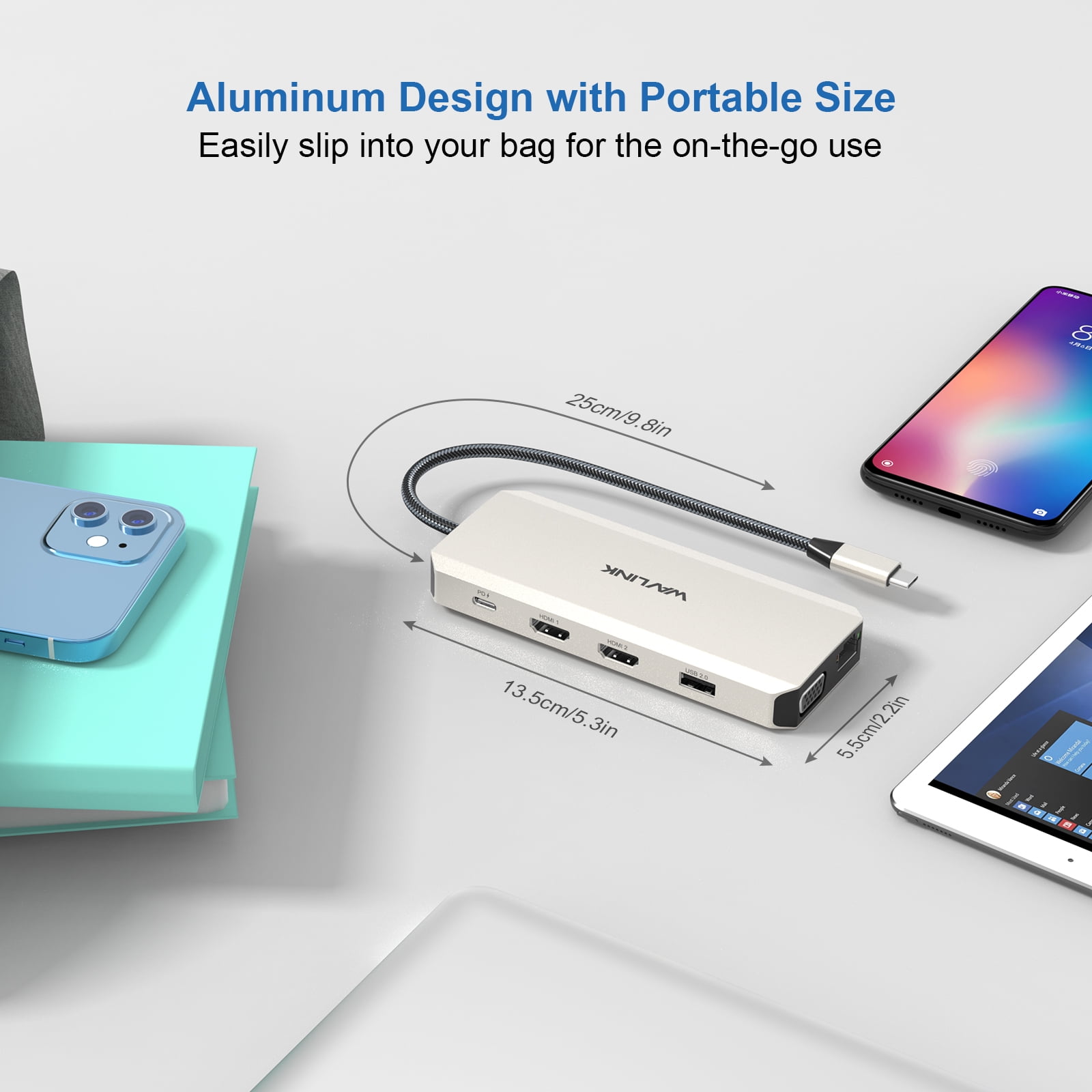
- • Plug-and-play USB C Hub comes with 2x 4K HDMI, 1x 2K VGA Port, 1000M RJ45 Ethernet Port, Type C PD 3. 0 charging port, 2x USB 3. 0 Ports, 2x USB 2. 0 Ports,3.5mm Audio Jack, and SD & TF card reader. What you get: USB C Hub, 1 User Manual and 1-Year Worry-free Warranty (extra 6 months for registered members) and life-long friendly customer service and technical support.
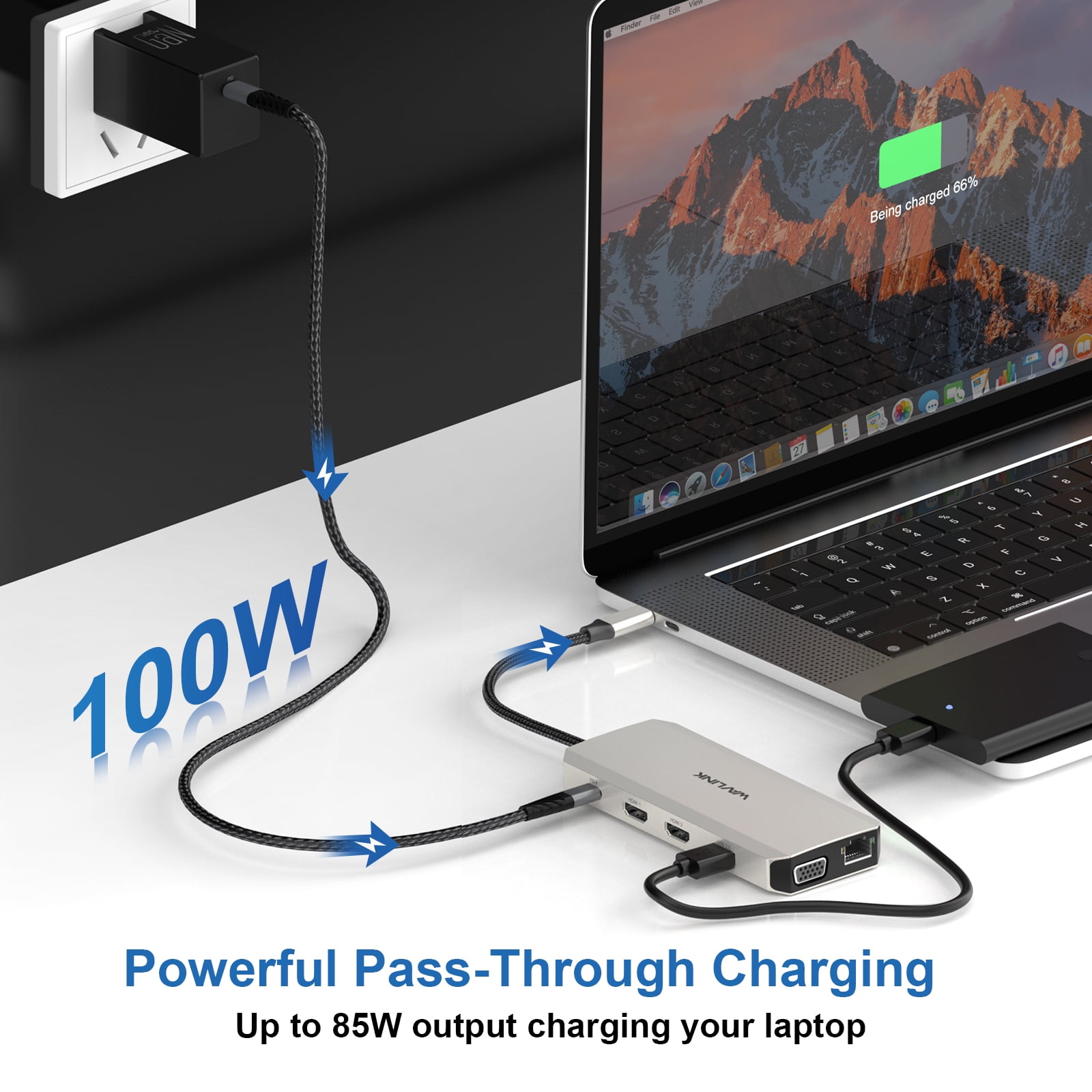
- • With 100W PD3.0 pass-through charging port, this WAVLINK 12-port dock provides up to 85W power delivery to your laptop( 15W to other peripherals), quickly charging your connected devices while displaying or transferring data, worry-free about low battery.
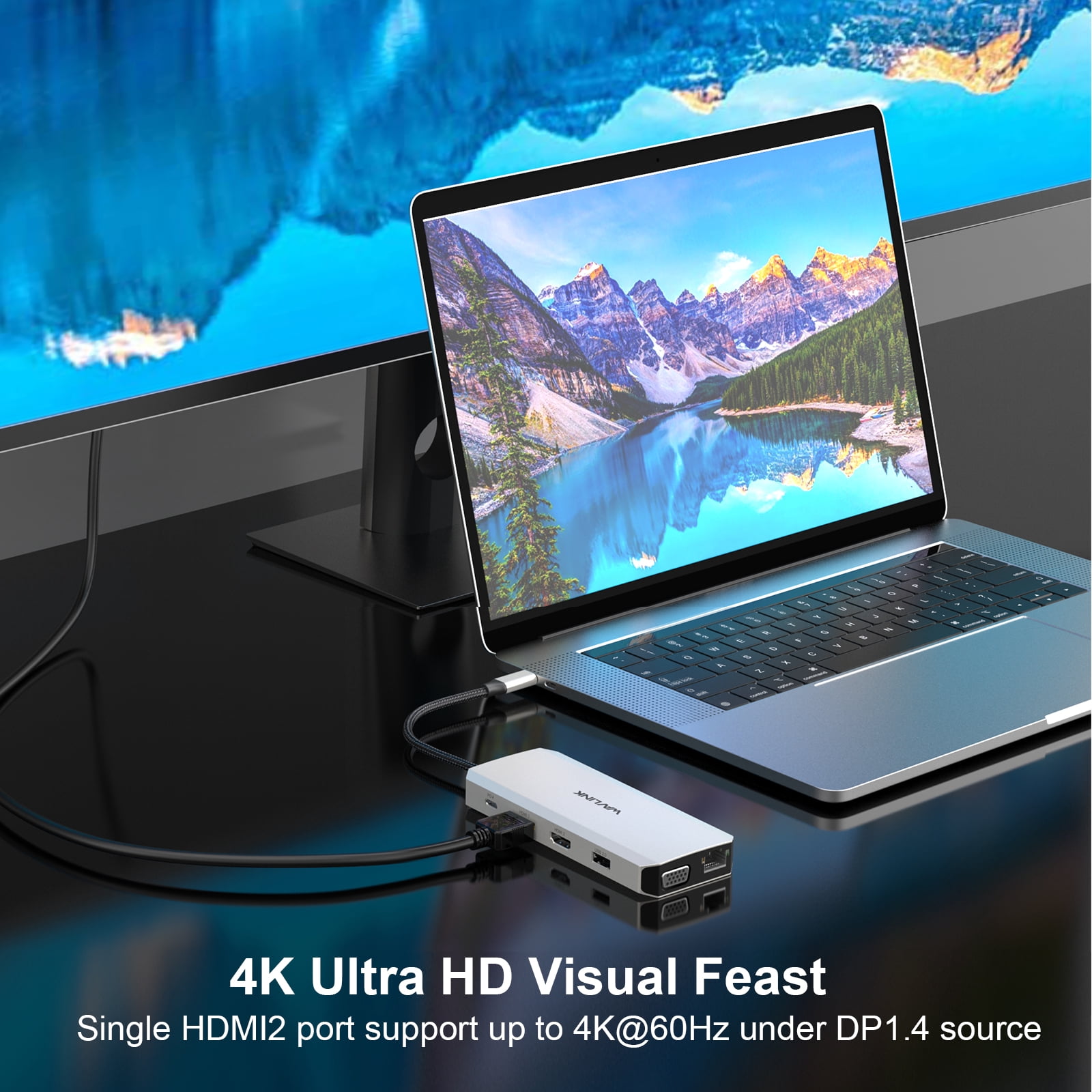
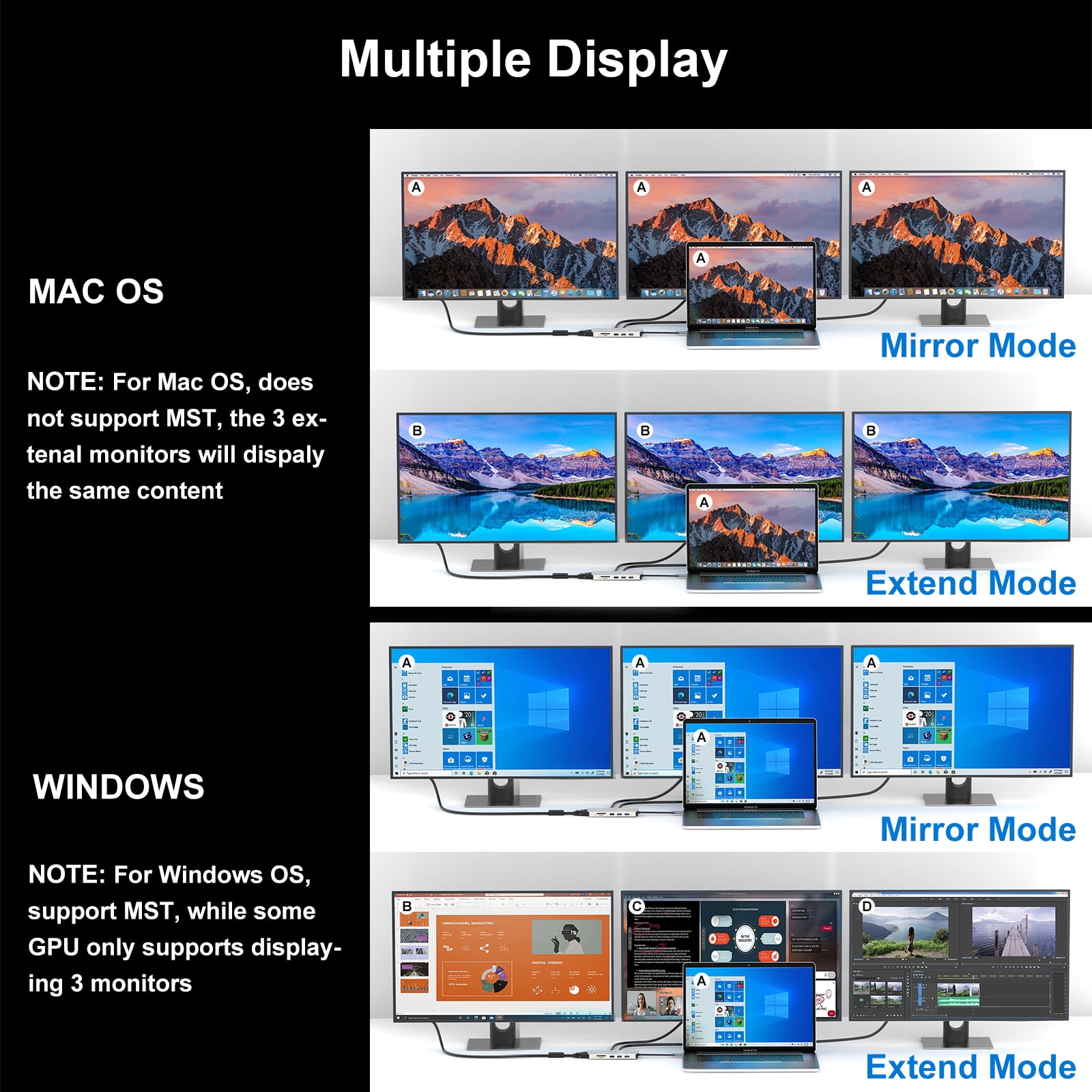
- • Mirror or extend your screen with HDMI ports and a VGA port. Under DP1.4 source, single HDMI 2 supports up to 4K@60Hz while HDMI 1 supports 4K@30Hz, VGA supports 1080P@60Hz. Resolution will be one 4K@30Hz and another 1080P@60Hz if two monitors play simultaneously; and will be 1080P@60Hz when playing triple displays with dual HDMI and VGA. NOTE: ONLY Windows support MST, Mac DOES NOT. The resolution may be reduced under DP1.2 source.
- • An USB-C expansion hub for MacBook, MacBook Pro 2016/2017/2018/2019/2020, iMac/ iMac Pro (21. 5 inch, 27 inch), Google Chromebook Pixel, Huawei MateBook, Huawei MateBook Pro, Dell, Surface Book2, HP, Lenovo, and Samsung S9, S9 Plus, S8, S8 Plus, Note 9, Note 8, Huawei New version phones and many other type-c port of full function with data transfer and USB-C Power Delivery & Video Alternate(Alt) Mode.
| Compatibility | Windows 11/10/8.1/8/7, Mac OS, Chrome OS, Linux, iPad OS, Harmony OS, Android |
|---|---|
| Maximum number of monitors | 3 |
| Inputs/Outputs | HDMI, VGA, USB 3.0, USB 2.0, SD/TF, Gigabit Ethernet |
| Resolution | 4K@30Hz, 4K@60Hz, 1080P@60Hz, 2K@60Hz |
| Usb version | 2 |
| In/Out type | HDMI |
| Brand | WAVLINK |
| Accessories | 1 User Manual |
| Model name | Wavlink USB C Dock 85W Charger USB C Hub |
| Color | gray |
| Input/output direction | Output |
Bestseller ranking
Ribbons


Customers who viewed this product also viewed
Computers


Correction of product information
If you notice any omissions or errors in the product information on this page, please use the correction request form below.
Correction Request Form